
Home » Download
PPVI App Download for Android and iOS: Fast Setup, Safe Access
Start your PPVI experience with a fast, verified mobile download in minutes
Play on the go with short, reliable sessions that fit your day. Begin your PPVI app download for quicker loads, lighter data use, live cricket updates, JILI access, and smart notifications that keep you informed without draining your battery.
Security comes first. Device binding, optional biometric login, and clear permission prompts protect your account. Keep your profile verified and ensure name-matched transactions for smooth account use. Android and iOS options are available from the official source, with easy steps below.
Why the PPVI mobile app suits everyday play on data and Wi‑Fi
The app is built for quick taps, short breaks, and spotty connections. You get fast loads, one‑hand menus, and alerts that arrive right when a match heats up.
Fast performance on everyday 3G/4G or home Wi‑Fi
Lightweight pages load quickly, even on busy networks. Key screens cache locally, so common actions feel instant during peak match times.
Quicker PPVI login with biometrics and device lock
Use fingerprint, Face ID, or a secure PIN for faster entry. Your PPVI login stays protected with device binding and session controls.
PPVI cricket focus and easy JILI game access
Track live cricket scores, markets, and highlights in one place. Jump into JILI slots and other popular titles with fewer taps.
Built-in checks for safer account use
Profile verification, clear prompts, and name‑matched transactions help keep your account secure and consistent with local banking norms.
Step-by-step to download, install, and start using the PPVI mobile app
- Open your mobile browser and visit the PPVI official site.
- Sign in or create an account to access the secure download page.
- On Android, tap Download to save the latest PPVI apk to your phone.
- When prompted, allow Install from this source, then open the file to install.
- On iOS, if an App Store link is offered, tap Get. If not, choose Add to Home Screen for the web app or follow on‑screen profile steps.
- Launch the app, enable notifications for offers, match alerts, and updates.
- Complete profile checks in Settings and confirm your name matches for transactions.
For the direct installer and version notes, use PPVI App Download from the secure page.
Choose your device and tap to get the app for Android or iOS
Android — Tap “Get for Android” to download the current APK, then install in one go.
iOS — Tap “Open on iOS” to follow the App Store or on‑screen setup, then add the icon.

Exclusive app-use bonuses, reload perks, and event alerts for regular players
Enable notifications to receive early access to featured offers, reload boosts on match days, and time‑limited coupon codes. Keep an eye on push alerts before big cricket fixtures and new JILI releases.
New and active users can explore app‑first deals and seasonal offers, including selected PPVI bonus campaigns tailored to frequent mobile play. For current deals and terms, check PPVI Promotions in your offers hub.
Mobile features designed for quick play, clear menus, and smarter notifications
- One‑tap biometric login for faster access on trusted devices.
- Light data mode to keep usage in check on mobile networks.
- Live cricket widgets with score updates and key moments.
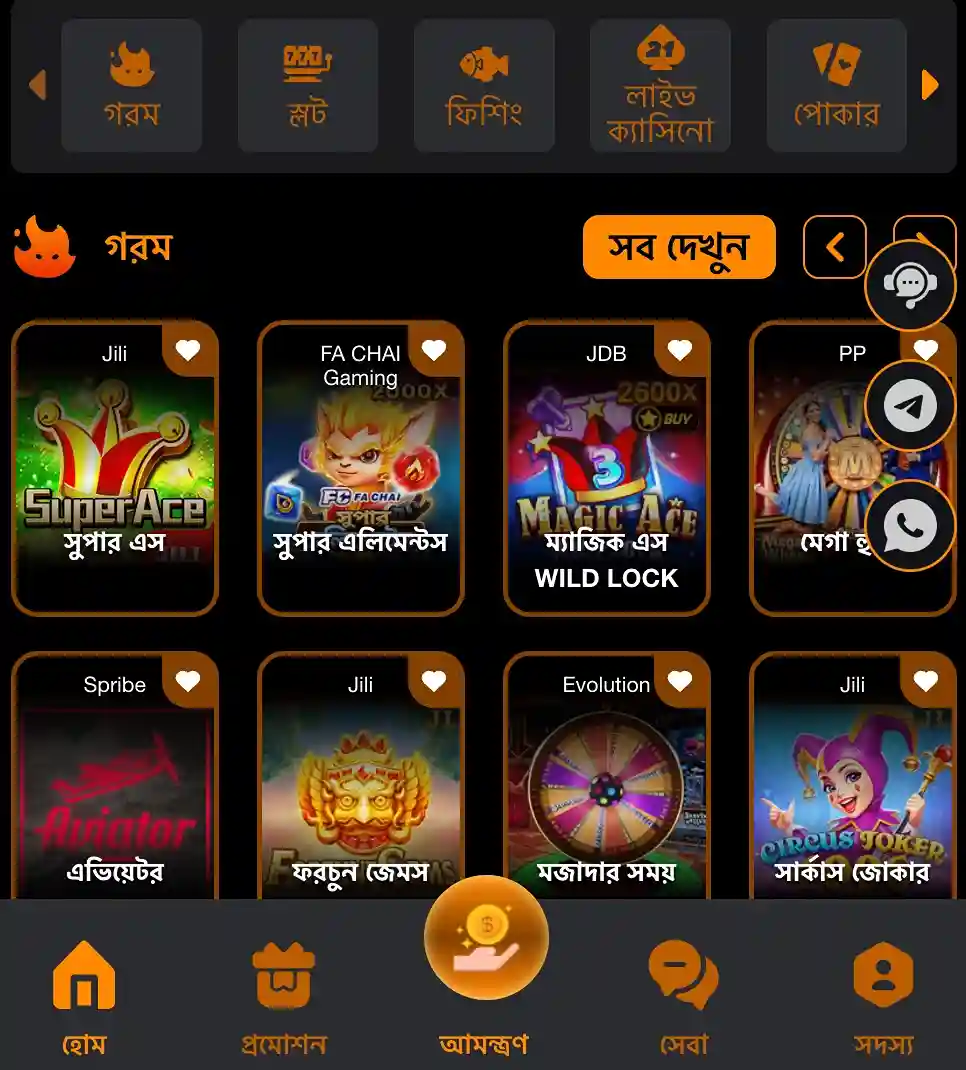
- Quick‑launch lobby for JILI slots and trending games.
- Personalized alerts for odds changes, results, and app bonuses.
- Clean menus and bottom tabs for easy thumb reach.
- In‑app support chat with verified responses and ticket tracking.
Safe install practices, permissions awareness, and keeping your app updated
Protect your account by installing only from the verified source and reviewing permissions before you tap Allow. Keep your profile data accurate and your device security features on.
- Download from the official domain with HTTPS and a valid certificate.
- Avoid third‑party mirrors; update only through in‑app prompts or the official page.
- Review permissions like Notifications and Storage; deny anything you do not need.
- Never share OTP, PIN, or recovery codes with anyone, including support.
- Match your account name with your chosen payment channel for smoother checks.
- Keep some free storage to ensure updates install without issues.
PPVI app download and install questions answered for Android and iOS users
Is the PPVI app free to download and use?
Yes. The installer is free. Data charges may apply from your network when you download or use features.
How do I allow app installs on Android for the APK?
After tapping the APK, your phone may ask to Allow from this source. Enable it for your browser or file manager, then continue the install.
What if the PPVI app is not in the iOS App Store?
Use the official instructions shown after tapping Open on iOS. You may be guided to Add to Home Screen for the web app or to approve a verified profile.
Why does the app request notifications or storage permission?
Notifications deliver offers, match updates, and security alerts. Storage helps cache images and game assets so screens load faster on repeat visits.
How do I update to the latest version?
Open the app and follow any update prompt, or revisit the official download page to install the newest build over your current version.
Ready to download and play? Your PPVI app is only moments away
Make every over count with faster access, smart alerts, and quick JILI launches. Start your PPVI app download now to get verified access, lighter data use, and crisp performance on your phone.
New to the platform? Create your account in minutes with PPVI Register, then open the app to claim offers, set alerts, and start playing with confidence.